Tenants
What are tenants?
Tenants are instances of an application that operate on a single infrastructure. In the case of a corporate portal, these are versions of the portal that are available on different domains and have their own users and data.
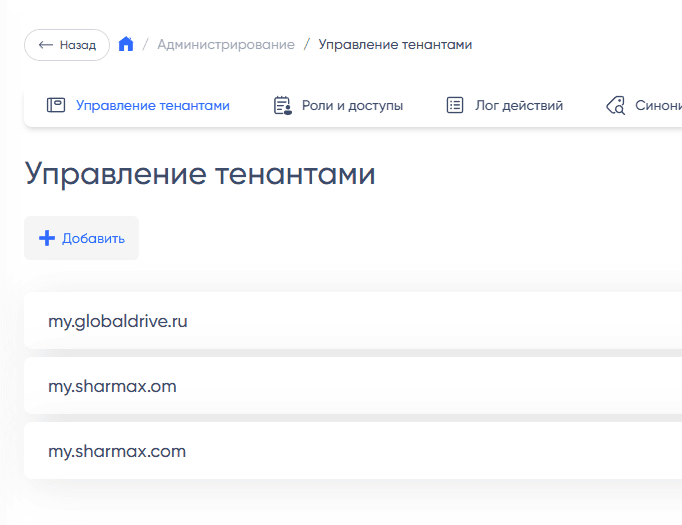
Tenants have settings and can visually differ:
- Domain
- Multiple domains can be associated with a single tenant for technical purposes
- A domain can simply be added to the server and assigned to a tenant, and it will immediately work on that domain
- Primary color
- This is the color of buttons and links, as well as various accents in the interface
- Language, currency, country
- Default language is English, default country is the USA, default currency is USD
- If a particular text does not have a translation, the default language will be used
- See also: Multilingualism
- Menu content
- Items can be hidden or shown
- There is an option to create custom menu items through the admin panel
- Homepage content
- Blocks can be hidden or shown
- Parent tenant
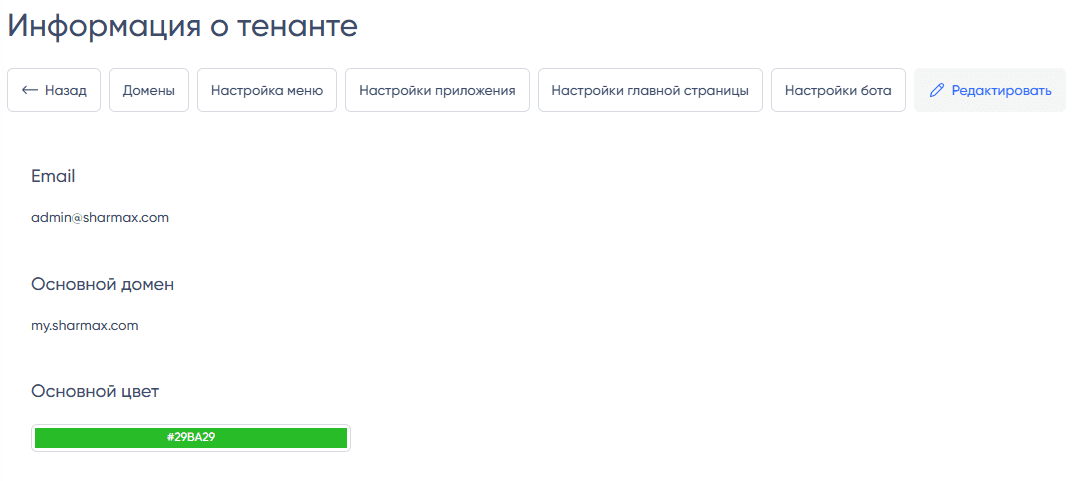
Access
In November 2024, the data of two existing tenants were merged. This allowed access to publish news and documents simultaneously on several portals, create tasks for users from different portals, and work across multiple portals through a single administrator account.
In terms of access, tenants have a direct connection:
- With data obtained from integrations
- With users
There is also a softer connection through common data that can be linked to several independent tenants. For example, a news item can be published on multiple tenants simultaneously and will be available to users of those tenants.
Note: Administrator rights allow users in the interface of the same tenant to see users from all tenants. Regular users will not see data from other corporate portals that do not pertain to them.
To switch between tenants from a single account, see Instructions for Switching Tenants.
Common data
Some data that is common for the business and can only be edited by admins is not divided by tenant.
To support multilingualism of different tenants in different countries without creating duplicates, districts, subdivisions, positions, and grades can be translated into several languages. For details on localization, see Multilingualism.
Parent tenant
A parent tenant is a connection to another tenant whose data can be reused in a child tenant.
This is a necessary measure and an excellent solution when it is necessary to create a portal for a franchisee that should pull some data, for example, from 1C, from an existing tenant.
Example of use: Order System, Invoice Approval System.
Technical configuration of tenants is described in Tenant Configuration.